 PickGuide
NIIMBOT M2 Thermal Transfer Label Maker Review: Is Their Best-Seller Worth It?
NIIMBOT's own 'Best Selling Products' collection is actually topped by ribbon and label-roll refills, which aren't really a standalone product to review, so we're covering the top-selling actual printer in that same list instead: the M2 thermal transfer label maker. Unlike NIIMBOT's cheaper direct-thermal models, the M2 prints with a heat-transfer ribbon, which the brand claims holds up for 8-10 years against sun, heat, and abrasion. We checked its real spec sheet plus both its on-site reviews and independent Trustpilot data to see if the $99.99 price is earned.
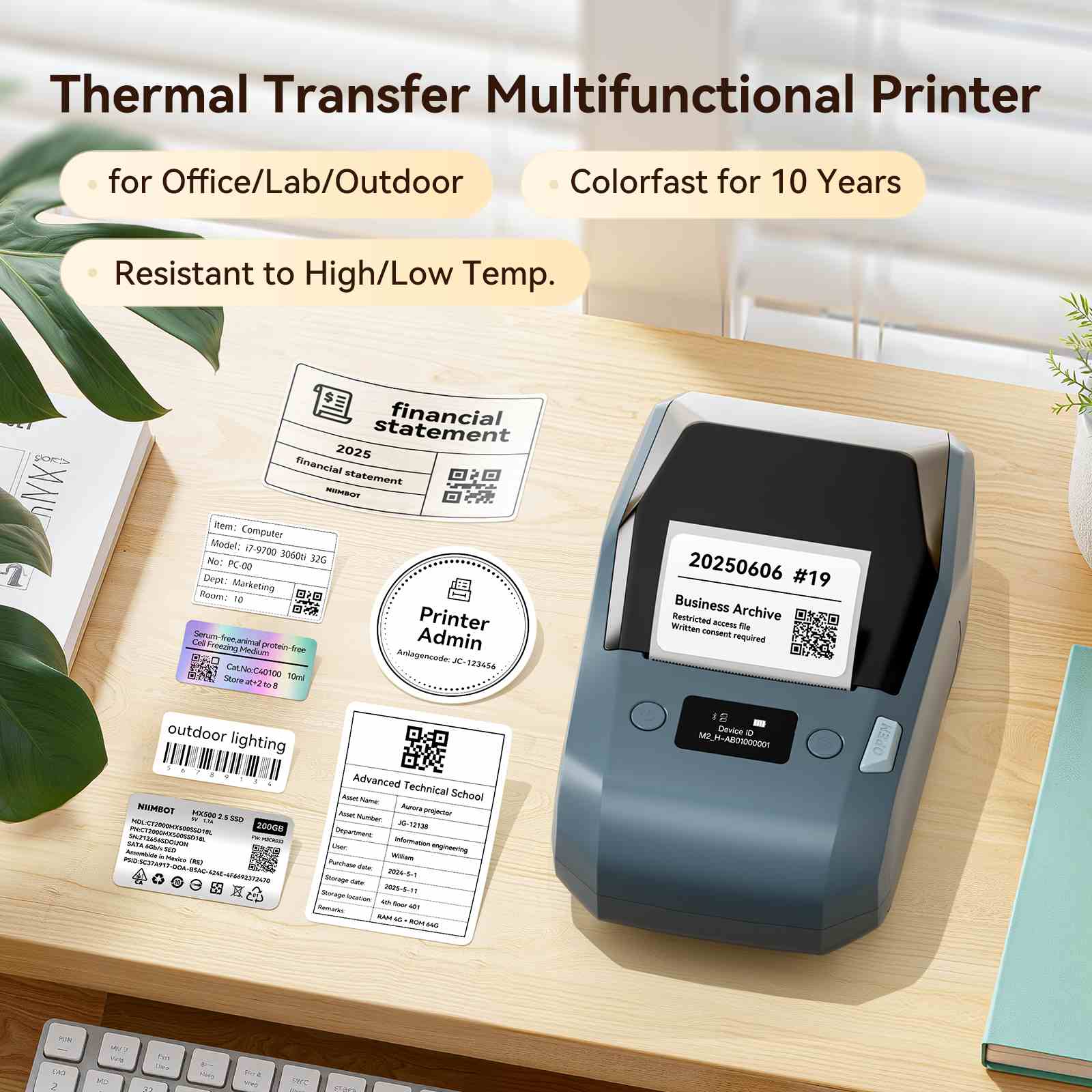
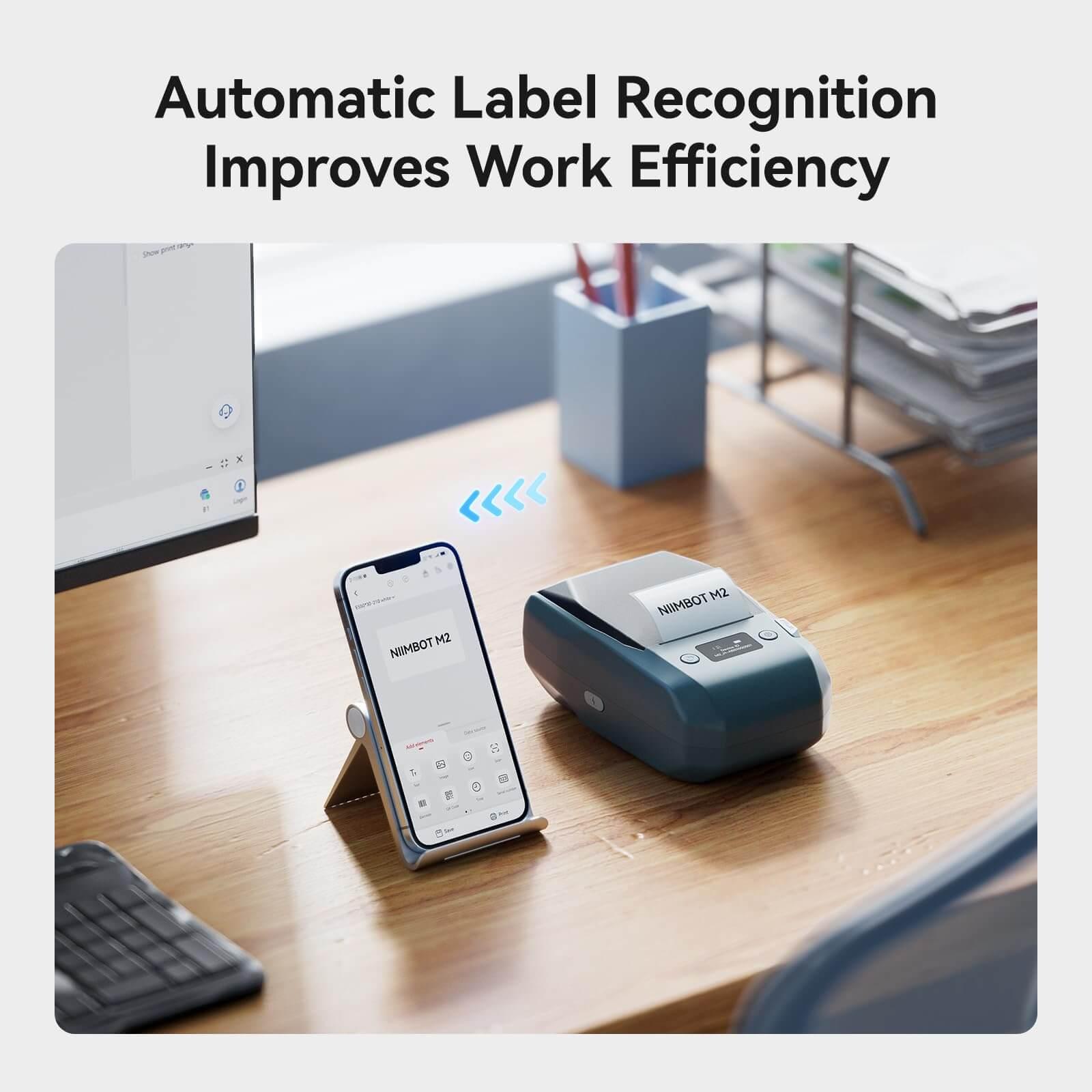
The M2 is a 300dpi thermal transfer label maker, meaning it melts pigment off a ribbon onto the label rather than burning an image directly into heat-sensitive paper the way NIIMBOT's cheaper D11/B1 models do. That distinction matters: ribbon-printed labels are rated for 8-10 years of resistance to friction, light, high and low temperatures, and sun exposure, which is why NIIMBOT positions the M2 for things like outdoor equipment tags, lab/vial labels, and electrical cabinet nameplates rather than just shipping labels. It prints widths from 0.8" to 2" (20-50mm) with automatic label-length detection, so there's no manual paper measurement step, and the minimum label height is 9mm. Connectivity covers Bluetooth (up to 3 iOS and 7 Android devices simultaneously) and a USB-C/PC connection with a driver for batch printing from a desktop. "Color printing" here means swapping in one of 7 available single-color ribbon cartridges (it ships with one black ribbon and a roll of 50x30mm white labels), not simultaneous multi-color output like an inkjet. Battery is a 2000mAh cell rated for about 4 hours of continuous printing after a 1.5-hour charge, and top print speed is 40mm/s. The free NIIMBOT app has no subscription paywall and includes 20+ fonts, 1000+ icons, and 100+ border templates. On rating: the product page itself shows 4.9/5 from 319 reviews, but niimbots.com's storewide Trustpilot score is a much lower 2.8/5 from 10 reviews, driven mostly by shipping-time and returns-process complaints rather than complaints about print quality itself — worth knowing since that's a small Trustpilot sample pulling against a much larger on-site one, and the two are measuring different things (this product vs. the whole store's fulfillment experience).
Pros
- 300dpi thermal transfer print head produces sharper, more detailed labels than NIIMBOT's base direct-thermal models
- Ribbon-based prints are rated for 8-10 years of resistance to light, heat, friction, and sun exposure
- Bluetooth pairs with up to 10 devices at once (3 iOS + 7 Android) — useful for a shared office or lab printer
- Also connects to a PC via USB for batch printing, not just phone-only
- Free NIIMBOT app with no design/template paywall, 1000+ icons and 20+ fonts included
- 2000mAh battery rated for roughly 4 hours of continuous printing per charge
Cons
- Needs ribbon cartridges as an ongoing consumable, on top of label stock — direct-thermal printers only need labels
- Print width tops out at 2 inches (50mm); NIIMBOT sells the pricier M3 for wider shipping-label formats
- On-site 4.9/5 rating (319 reviews) is far higher than niimbots.com's own 2.8/5 Trustpilot score (10 reviews) — mostly a shipping/support complaint gap, but worth knowing before ordering
- 40mm/s max print speed is modest next to industrial label printers
- 9mm minimum label height rules out very small jewelry/parts tags
- "Color printing" means swapping single-color ribbons, not true multi-color output in one pass
Who It's For
Good For
- Small businesses or lab/medical offices that need labels surviving heat, light, or chemical exposure
- Anyone who wants ribbon-based color labeling without buying a full color laser printer
- Users who want both phone (Bluetooth) and PC (USB) printing from the same device
Skip If
- You mainly need large shipping/address labels wider than 2 inches — look at the M3 instead
- You print occasionally and don't want an ongoing ribbon-buying habit
- The store's low Trustpilot score for shipping/support experience is a dealbreaker for you
How It Compares: NIIMBOT M2 Label Maker vs Phomemo M220
| Spec | NIIMBOT M2 Label Maker | Phomemo M220 |
|---|---|---|
| Price | $99.99 | $66.99 |
| Printing technology | Thermal transfer (ribbon) | Direct thermal (inkless) |
| Resolution | 300 DPI | 203 DPI |
| Print width | 20-50mm (0.8"-2") | 20-75mm |
| Consumables | Ribbon + labels | Labels only |
| Battery | 2000mAh | 2200mAh |
The M220 is cheaper, prints a wider label, and skips the ribbon consumable entirely, which makes sense for basic shipping and address labels. The M2 costs more and needs ribbon refills, but its higher 300dpi resolution and ribbon-based printing are the actual reason to pick it — sharper text and labels rated to survive years of heat, light, and handling instead of fading direct-thermal prints.
Verified Ratings
Key Specs
| Print resolution | 300 DPI |
| Printing technology | Thermal transfer (ribbon-based) |
| Print width | 0.8"-2" (20-50mm), automatic positioning |
| Minimum label height | 9mm |
| Max print speed | 40mm/s |
| Connectivity | Bluetooth (3 iOS + 7 Android simultaneous) + USB-C to PC |
| Battery | 2000mAh, ~4 hours continuous after 1.5-hour charge |
| Dimensions | 178 x 108 x 74mm (7" x 4.25" x 2.9") |
| Ribbon colors available | 7 |
| Design library | 20+ fonts, 1000+ icons, 100+ borders |
In The Box
- NIIMBOT M2 label maker
- 1 black ribbon (pre-installed)
- 1 roll of 50x30mm white labels
- USB Type-C charging cable
- Product manual
Frequently Asked Questions
Does the NIIMBOT M2 work with any thermal label roll, or does it need special labels?
Since the M2 is a thermal transfer printer (not direct thermal), it needs a compatible ribbon-and-label combination rather than just any thermal paper roll. NIIMBOT sells matching label stock in white, matte silver, clear, and hologram finishes sized for the M2.
Why is the on-site rating so much higher than the Trustpilot score?
The 4.9/5 (319 reviews) shown on the product page is specific to this printer and its verified buyers. The 2.8/5 Trustpilot score is for niimbots.com as a whole, based on a much smaller sample (10 reviews), and reflects storewide shipping/returns complaints more than complaints about the printer's performance itself.
Can the M2 print multiple colors on one label?
Not in a single pass. It supports 7 different single-color ribbons, so "color printing" means swapping the ribbon cartridge for the color you need, not simultaneous multi-color output like an inkjet printer.
What's the real difference between the M2 and NIIMBOT's cheaper D11/B1 printers?
The D11 and B1 are direct thermal printers — no ribbon needed, but the print fades faster with heat and light exposure. The M2's ribbon-based thermal transfer printing is rated for 8-10 years of durability, which is the tradeoff for needing to buy and swap ribbon cartridges.
Verdict
On the hardware itself, the M2 is a legitimately capable machine: 300dpi thermal transfer printing with real UV/heat durability claims, dual Bluetooth-and-USB connectivity, and a no-paywall app — features you'd expect to pay more for. The catch isn't the printer, it's the buying experience: niimbots.com's own Trustpilot score sits at just 2.8/5 from a small sample, mostly over shipping and returns rather than the product. If you're buying labels that genuinely need to survive the elements and you're comfortable with a small-store ordering experience, the M2 is worth it. If you just need basic shipping labels, a cheaper direct-thermal model will do the job for less.