 PickGuide
Mecpow X3 Pro Review: 10W Laser Engraver with Air Pump, Safety Sensors & 410×400mm Work Area at $289.99
The Mecpow X3 Pro sits in the middle of the X-series lineup — above the entry-level M1 and X1, but below the higher-power X4 and X5 machines. At 10W with a 410×400mm work area and an air pump kit included in the box, it's aimed at makers who want meaningful cutting capability without climbing to the $500+ price tier. The safety features — flame sensor, gyroscope sensor, emergency stop, and security lock — are a noticeable step up from basic entry-level engravers.
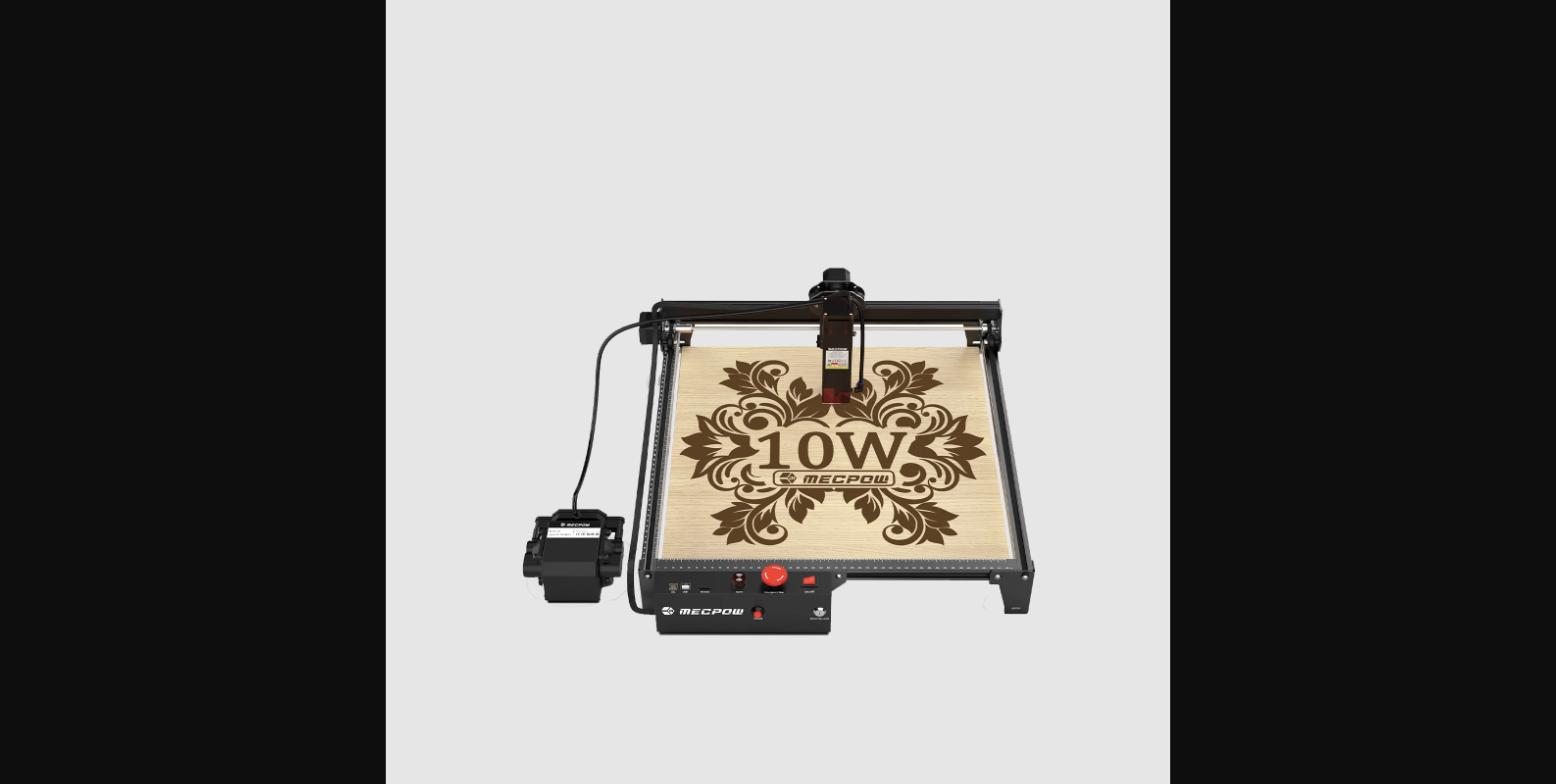
Mecpow X3 Pro 10W laser engraver with air pump kit. Laser power: 10W (±1W). Work area: 410×400mm. Speed: 10,000 mm/min. Accuracy: 0.01mm. Spot size: 0.06×0.08mm. Weight: 3.67 kg. Dimensions: 515×561×170mm. Cuts: wood 10mm, acrylic 5mm. Software: LaserGRBL, LightBurn. Air pump: 30L/min included. Safety: flame sensor, gyroscope, emergency stop, security lock. Price: $289.99.
Pros
- 10W output with 0.01mm accuracy and 0.06×0.08mm spot size — tighter focus than most entry-level 10W machines
- Air pump kit (30L/min) included — reduces charring, improves edge quality, extends lens life without extra purchase
- Flame sensor and gyroscope sensor — automatically alerts or pauses if fire is detected or machine is tilted/moved
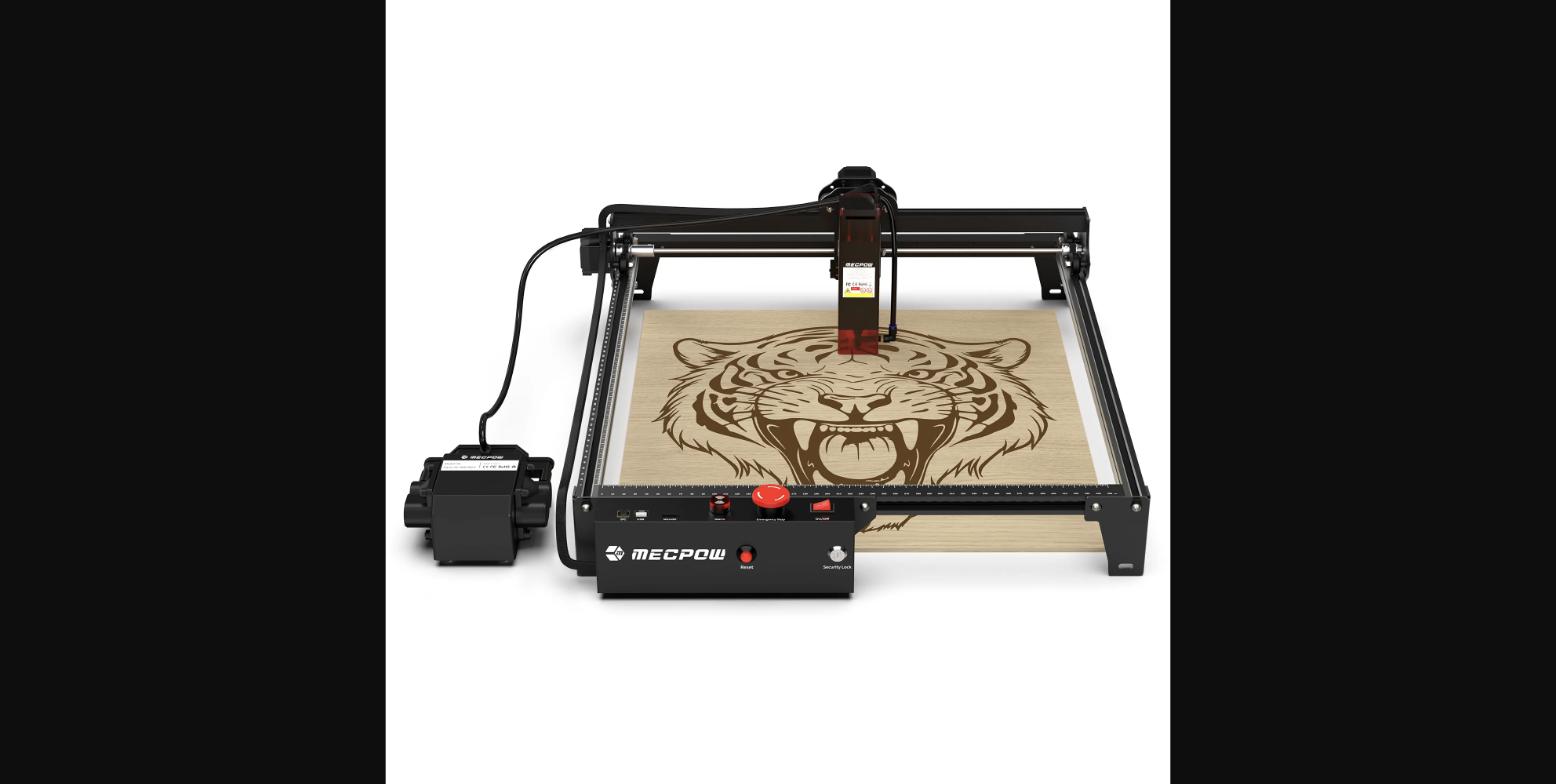
- Emergency stop button and security lock on the control panel — physical safety controls, not software-only
- 410×400mm work area — handles standard project sizes including cutting boards and A3-equivalent sheets
- Fixed-focus laser with focusing screen — faster setup than adjustable-focus models for beginners
- Cuts 10mm wood and 5mm acrylic — practical cutting performance for craft and small production work
Cons
- No onboard display or screen — relies on PC software (LaserGRBL or LightBurn) for all control
- Fixed-focus laser limits versatility for thick materials where adjustable focus would help
- 10,000 mm/min maximum speed is mid-range — higher-end machines in this price band reach 20,000+ mm/min
- No enclosed design — requires additional ventilation or enclosure setup for indoor use
- EU and US variants are separate SKUs — check the correct region before ordering
Who It's For
Good For
- Makers upgrading from a basic 5W engraver who need more cutting power without moving to a $500+ machine
- Hobbyists who want air assist included rather than buying it as a separate accessory
- Anyone who wants physical safety controls — the emergency stop and security lock matter for shared or workshop use
- Wood and acrylic cutting at home or in a small studio where 410×400mm covers the majority of projects
Skip If
- You need faster engraving speeds — the X5 series at 22W runs significantly faster
- You want an enclosed machine — the X3 Pro is an open-frame design
- Your projects are mostly small items — the M1 or X1 handle those at lower cost
How It Compares: Mecpow X3 Pro 10W Laser Engraver vs Mecpow X1 Laser Engraver
| Spec | Mecpow X3 Pro 10W Laser Engraver | Mecpow X1 Laser Engraver |
|---|---|---|
| Price | $289.99 | Lower |
| Laser power | 10W | 5W |
| Work area | 410×400mm | Smaller |
| Air pump | Included | Not included |
| Safety sensors | Flame + gyroscope | Basic |
| Emergency stop | Yes | No |
| Best for | Mid-range cutting and engraving | Entry-level engraving |
The X1 is the right entry point for beginners on a budget who need basic engraving. The X3 Pro is the upgrade for makers who need more cutting power, a larger work area, the included air pump, and active safety features. The price difference reflects meaningful hardware and safety upgrades, not just a spec bump.
See Mecpow X1 Laser Engraver →
Verified Ratings
Key Specs
| Laser Power | 10W (±1W) |
| Work Area | 410 × 400mm |
| Engraving Speed | 10,000 mm/min |
| Accuracy | 0.01mm |
| Spot Size | 0.06 × 0.08mm |
| Cuts (Wood) | Up to 10mm |
| Cuts (Acrylic) | Up to 5mm |
| Machine Weight | 3.67 kg |
| Dimensions | 515 × 561 × 170mm |
| Air Pump | 30L/min (included) |
| Software | LaserGRBL, LightBurn |
In The Box
- 1 × Mecpow X3 Pro laser engraver (unassembled)
- Air pump kit (30L/min)
- Power adapter
- USB cable
- Laser safety goggles
- Tool kit
- Two wood boards + aluminum plate
- Focusing screen
- Two security keys
- User manual
Frequently Asked Questions
How does the X3 Pro compare to the Mecpow M1?
The X3 Pro is a significant step up from the M1. The M1 is a 3.5W or 5W beginner-tier machine at $159–$259; the X3 Pro is 10W with a 410×400mm work area (vs. the M1's smaller work area), a tighter 0.06×0.08mm focus spot, and the air pump kit included rather than sold separately. The X3 Pro also adds the flame sensor, gyroscope sensor, emergency stop, and security lock safety features not found on the M1. If you've maxed out what an M1 can cut or need larger output, the X3 Pro is the natural upgrade.
Does the X3 Pro come with LightBurn?
No — LightBurn is a paid software with its own license. The X3 Pro is compatible with LightBurn, and also works with LaserGRBL, which is free. LightBurn typically costs $60 for a diode laser license and is considered the better software for complex projects, but LaserGRBL handles most tasks for beginners and intermediate users without cost.
What is the air pump for and is it really necessary?
The 30L/min air pump blows a stream of air at the laser cut point while the machine is running. This clears smoke and debris from the cutting area, which reduces charring on wood edges, improves acrylic cut quality, and reduces residue on the laser lens. Without air assist, cuts in wood often show more burn marks at the edge. On many laser engravers, air assist is an add-on; Mecpow includes it with the X3 Pro, which meaningfully improves cut results out of the box.
What does the gyroscope sensor do?
The gyroscope sensor monitors whether the machine has been tilted or moved during operation. If it detects unexpected movement — such as the machine being bumped or shifted — it automatically stops the laser. This is a safety feature designed to prevent the laser from continuing to fire if the machine has moved out of position, which could burn or damage the wrong area. Combined with the flame sensor (which monitors for fire or smoke above threshold), the X3 Pro has more active safety monitoring than most budget laser engravers.
Can the X3 Pro engrave metal?
The X3 Pro can mark metal surfaces — specifically anodized aluminum and coated metals — but cannot cut metal. Deep engraving on bare steel or cutting metal requires much higher power (CO2 or fiber lasers). For stainless steel marking, a marking spray like Cermark applied first can help. For most craft and hobby metal work (tags, plates, coated items), the X3 Pro handles it; for industrial metal cutting, a different machine type is needed.
Verdict
The X3 Pro makes a strong case at $289.99 by including the air pump kit rather than selling it separately, adding real safety hardware (not just software alerts), and delivering a tighter focus spot than most 10W diode lasers in this bracket. It's not the fastest or most powerful machine in its class, but the combination of 10W output, 410×400mm work area, included air assist, and physical safety controls is a well-rounded package for makers who've outgrown entry-level engravers but don't need the X4 or X5's higher power.